
How to Search Civil Dockets
Douglas County runs its civil case lookup through the public civil search form. It covers State and Superior civil records. You can search by case number, party name, CSE number, or a filing-date range. The form also lets you narrow results by court category. Municipal, Probate, and some Magistrate records take separate routes. Check that your case belongs here before digging in.
Use the most exact identifier you have. A case number beats everything else. When you only have a party name, tighten the filing dates to cut down noise. Read the court-type box before opening any result. Those labels organize the docket search. They cannot select a legal claim or repair a defective filing.
- Open the Douglas civil search and select the civil route.
- Enter the case number when known; otherwise use Party Name and a narrow filed-date range.
- Choose the relevant category, such as Domestic, Superior Civil, State Civil, Child Support, or Habeas Corpus.
- Compare the parties, court, filing date, document events, settings, and any displayed disposition.
- Contact the Clerk for a certified copy, an older filing, or a document that the public index does not display.
Douglas County Civil Search Fields
The Douglas County civil docket form uses a handful of labels worth knowing before you search. Look for Case #, Party Name, CSE #, System Wide Search, Filed From, and Filed To. Court-type choices run from All and Domestic to Superior Civil, Child Support, State Civil, and Habeas Corpus.
One label deserves a caution. The instructions do not spell out what CSE # stands for. Keep the label as written and ask the Clerk of Court if you are unsure when to use it. Also read System Wide Search narrowly. It searches the county system, not a statewide civil index. A Party Name match can pull up more than one party or case. The court type and filing dates still do the real sorting work in a Douglas County case lookup.
| Field | Use it for | Douglas search note |
|---|---|---|
| Case # | A known civil case | Use the full court-issued value when available. |
| Party Name | A plaintiff, defendant, petitioner, or other named party | Pair the name with dates and a court category. |
| CSE # | The form’s local child-support-related identifier | The public instructions preserve the label but do not expand it. |
| System Wide Search | A broader county search | It does not mean every Georgia court is included. |
| Filed From / Filed To | A known filing window | Useful for common names and newer filings. |
| Court checkboxes | Category and court-type narrowing | Domestic, Superior Civil, State Civil, Child Support, and Habeas Corpus have different meanings. |
Douglas County civil cases reach the clerk through the linked Peach Court service. That official page handles electronic filing for new civil work.

The distinction matters: an e-filing channel is one thing, and the county’s public docket search fields are another.
Douglas County Civil Category Checks
The category checkboxes do real work in a Douglas County civil docket search. Domestic, Superior Civil, State Civil, Child Support, and Habeas Corpus are not interchangeable labels. Pick the wrong one and a case can slip past you, even with the right party name and filing date. So treat the category as a routing clue, not the answer itself.
Divorce and domestic matters sit with Superior Court. State Civil belongs to State Court as its own category. A Magistrate claim, a Probate matter, or a city case may live with a different clerk entirely, and no amount of guessing at a Superior checkbox will surface it. Read the court listed on the case record and follow it.
- Choose Domestic or Superior Civil for the Superior categories identified by the county form.
- Choose State Civil when the case belongs to State Court’s separate civil docket.
- Use Child Support or Habeas Corpus only when the case information supports that category.
What a Civil Docket Shows
Think of a Douglas County civil docket as a running log of case activity. It can name the parties, list filed pleadings and service steps, show motions, set out hearing dates, and end with a judgment or dismissal. What it is not: the documents themselves. A brief event label may connect to the longer pleading, order, return of service, or exhibit sitting in the case file.
Roles can shift as the case moves. A filing date proves nothing about who won. A motion entry only shows that someone asked; it never proves the judge granted anything. Read each event alongside the court, the document type, the date, and any later order.
| Case Number | The court-issued identifier in the Case # field. Copy the complete value rather than guessing a civil prefix. |
|---|---|
| Parties | Names and roles such as plaintiff, defendant, petitioner, respondent, or another party in the civil case. |
| Filings | Petitions, complaints, answers, service items, exhibits, notices, and other documents entered on the case. |
| Motions | Requests for court action and later rulings. The motion title alone does not establish the judge’s decision. |
| Settings | Dates for hearings, motions, TPO or domestic work, conferences, trials, or other scheduled events. |
| Judgment or Disposition | A recorded outcome or closing action that should be confirmed in the official docket or certified file. |
Douglas County Civil Filing Codes
Document codes are baked into how a Douglas County civil filing moves through the clerk's workflow. The Clerk's instructions tell filers to attach the right code to each original pleading. They also say to handle exhibits in a set sequence. That is why a public docket entry may show a filing code and document name without telling you what else came with the submission.
Covered civil and family filings run through mandatory e-filing infrastructure. Rejections happen for concrete reasons. The list includes the wrong county or court location, an incomplete field, a missing signature, an unpaid fee, a case type that cannot be e-filed, a wrong code, or a code that does not match the document. None of that decides the legal claim itself. The filing system moves paper; it rules on nothing.
- Attach exhibits to the lead document when the instruction calls for that sequence, or use a Notice of Filing before separate exhibits.
- Use a Case Initiation Form code for the case-opening document and a Case Disposition Form code when that filing is required.
- Code Sheriff Service, Standing Order, Verification, and Proposed Order documents separately when instructed.
- Keep original signatures and required fields in the document package before submission.
- Read a rejection as a filing problem to correct, not as a ruling on the merits of the case.
The Tyler Odyssey e-file portal offers another county-linked civil filing route, one named in the local and state vendor materials.
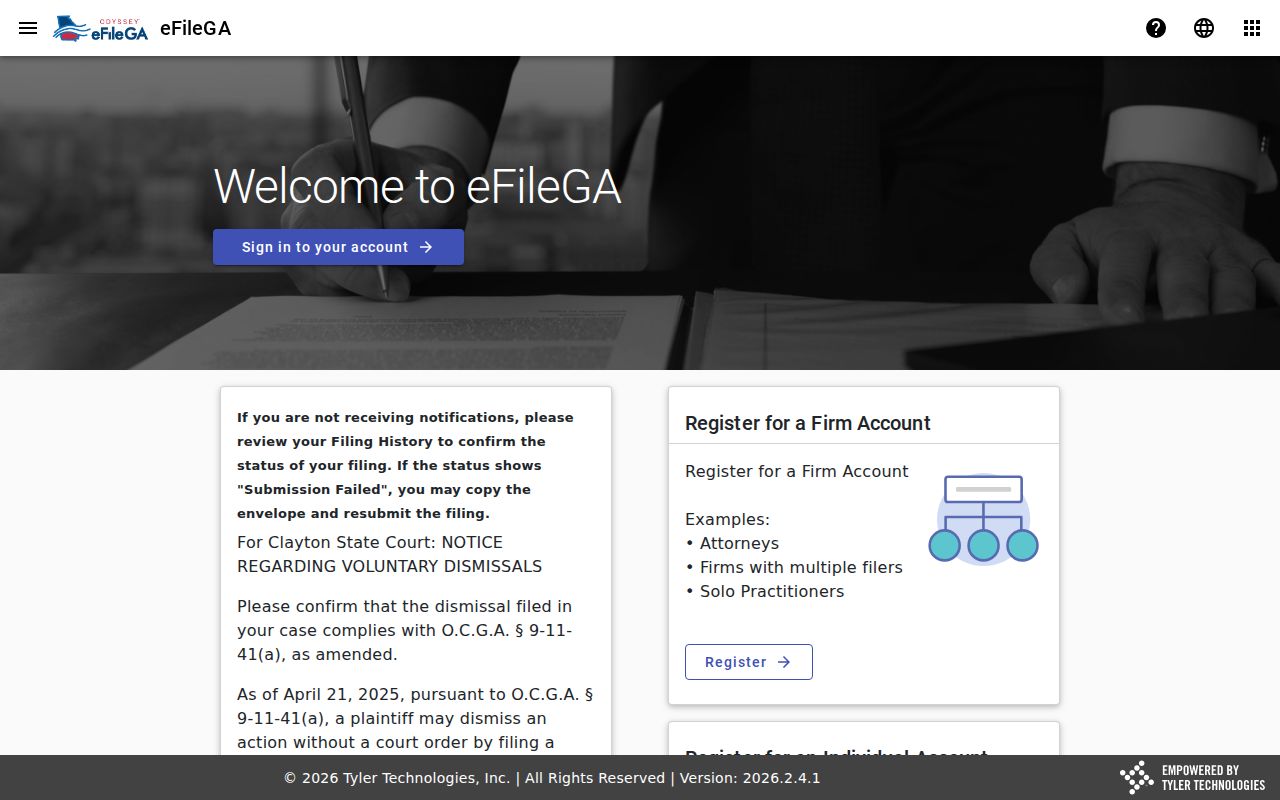
Peach Court, Tyler Odyssey, and the Green Filing option all sit on the filing side. They send paperwork in. They do not govern how a result reads once it lands in the public docket. For that, follow the Clerk's record rules.
Types of Civil Cases on the Docket
Civil cases in Douglas County split by subject and by court. Superior Court holds broad civil power. State Court keeps its own civil docket as well. The checkboxes on the public form can hint at where a matter is routed, but they are no substitute for advice from a lawyer on where a new case belongs.
- Domestic and divorce: Superior Court domestic relations matters and related filings.
- Title, land, and equity: Superior civil disputes involving real property or equitable relief.
- Injunctions and TPOs: Superior Court protective and injunctive matters with their own setting needs.
- State civil categories: State Civil, Child Support, and Habeas Corpus selections on the public civil form.
- Magistrate civil work: claims up to $15,000, dispossessory actions, garnishments, and personal-property foreclosures.
Probate work, including estates, wills, guardianships, and conservatorships, lives in Probate Court records. A Superior or State civil result is the wrong place to look for it. Municipal court handles its own city ordinance disputes too. So checking the court category is part of reading the civil docket right.
Douglas County Magistrate Civil Claims
Douglas County Magistrate Court takes civil claims worth up to $15,000. Dispossessory actions, garnishments, and personal-property foreclosures land there too. Each case type has its own forms. Filing steps, fee sheets, and continuance rules also differ. So don't assume a Magistrate claim will show up in the Superior Civil checkbox just because the dispute is civil and local. The two courts keep separate dockets, and checking the wrong one wastes a search. Filing in Douglas County Magistrate Court starts with the posted fee sheet. It lists local charges by filing category and is marked effective July 1, 2024. Fees change, though. Confirm the current schedule with the Clerk, and remember the sheet describes categories rather than your total case cost.
| Magistrate filing category | Posted example | Important qualification |
|---|---|---|
| Statement of Claim | $107 | Confirm the current fee and any added service or party charge. |
| Additional address or named defendant | $50 | Applies to the posted additional-entry category. |
| Dispossessory affidavit | $82 | Use the current court instructions for service and filing. |
| Additional named defendant | $25 | Separate from the dispossessory base amount. |
| Garnishment | $107 | Confirm the current category and required papers. |
| Personal-property foreclosure | $107 | The fee sheet also lists other copy and certification charges. |
For the numbers themselves, the official Magistrate fee sheet is the document to trust. Court staff can walk a filer through the filing route, but they will not pick a claim or hand out legal advice.
Settings and Hearings on Civil Dockets
Civil settings cover a wide range of events in Douglas County. Domestic motions appear alongside TPO matters. Specially set motions, conferences, and trial work fill the calendar too. Judge Warren's January 2026 sample calendar is a good example of the limits. It lists a date, time, judge, and event type. Yet it shows no complete case number and no party register. So a calendar entry is a setting reference. It is not the full civil docket. When your sources disagree, check the public case search first. Then check the assigned judge's current calendar and the Clerk or calendar clerk before trusting any single date. A scheduling order, service step, consent, or court order can move the next hearing. The Douglas County court calendar page breaks down the county's calendar and confirmation channels.
Douglas County Civil E-Filing Routes
Douglas County civil and family e-filing runs through vendors named in Georgia Courts' matrix. Peach Court and Tyler Odyssey are the main services, with Green Filing listed as available. The vendor never changes which court holds the case. Whatever service you use, the filing still needs the right county, court, and document code. The signature, fee, and service sequence matter just as much. Self-represented filers have another option. The Clerk's Public Access Terminal is usually called PAT. It is open Monday through Friday from 8:00 a.m. to 4:30 p.m. Staff may help with the terminal itself. They will not tell you which document to file or give legal advice. The filing party owns both the document and the legal choice behind it.
Public Access Terminal
Clerk of State Court filing information
For covered civil e-filing in the Clerk’s office
Monday through Friday, 8:00 a.m. to 4:30 p.m.
Staff do not select claims or give legal advice.
That split matters in practice. A filing vendor, a public search result, and the paper or electronic case file can each show a different slice of the same Douglas County civil matter, so none of them alone is the whole story.
Douglas County Civil Filing Rejections
A rejected Douglas County civil filing is a workflow signal. It is not a ruling on your claim. The Clerk's local instructions list the usual causes. They include wrong county or court location, missing information, and unpaid fees. Absent signatures, a non-e-fileable case, a mandatory case-type restriction, or a wrong filing code or document match round out the list. Measure the rejection against the whole package. Look at the original document. Check the required signature, the exhibit sequence, the service item, and the code you selected. From there, a filer can correct the submission. Or ask the Clerk which technical route applies. Staff explain process, not legal strategy. They will not select a claim or hand out legal advice. So the fix is yours to make.
- Confirm the Douglas County court location before resubmitting.
- Match each document to the required filing code and sequence.
- Verify signatures, required fields, exhibits, service papers, and payment.
- Keep the rejection notice with the corrected submission for the case record.
Douglas County Civil Copy Types
Accessing a civil docket and getting a civil document are two different steps. The county's fee materials sort copies into four types. They are uncertified copies, electronic printouts, certified copies, and exemplified copies. Each carries its own weight. An online result or downloaded printout is not certified on its own. The Clerk must apply the required certification first.
- Uncertified copy
- A reproduction without a clerk certification statement. It may be useful for review but may not satisfy a receiving institution.
- Electronic printout
- A printed or saved electronic record category listed in the county fee schedule. Confirm what the recipient will accept.
- Certified copy
- A clerk-certified reproduction of a record. Ask the Records Room about the document, page, and certification charge.
- Exemplified copy
- A special certification category listed separately from an ordinary copy. It is not the same as a public search result.
The posted State and Superior fee sheet shows a $218 civil filing category and a $50 service category under its 2024 effective labels, plus copy and certification categories. Confirm the current amounts before relying on any of them. For a case-specific copy request, the Records Room is the right route.
Douglas County Civil Court Routing
A civil search goes faster when you match the matter to the court that keeps it. Douglas County splits its civil records across courts. The route below summarizes that local split, and no single public form serves as a universal index.
| Court | Examples of civil work | Record route |
|---|---|---|
| Superior Court | Domestic, divorce, title or land, equity, injunctions, and TPOs | County civil search with the proper Superior or Domestic category; Clerk and judge calendar |
| State Court | State civil matters separate from Superior civil | County civil search with State Civil selected; State Court Clerk |
| Magistrate Court | Claims up to $15,000, dispossessory, garnishment, personal-property foreclosure | Magistrate Court forms, Clerk, and fee sheet |
| Probate Court | Wills, estates, guardianships, and conservatorships | Probate Court clerk and its separate record process |
Routing also protects you from a false conclusion. A "no result" is not the same as "no case" in Douglas County. The right clerk can tell you whether a record is online, held in another court, restricted, or available by copy request.
Public Access to Civil Dockets
Georgia civil records start from a presumption of public access. That access still bends to statutes, court rules, protected information, sealed filings, and specific orders. "Public" promises neither a free document nor a complete electronic file. It does not promise an instant result either. Family, juvenile, and sensitive filings get extra care. They may need the Clerk's closer review before anything is released.
Key access rules:
Georgia Open Records Act, O.C.G.A. § 50-18-70 states the public policy favoring open government while preserving statutory exceptions.
O.C.G.A. § 50-18-71 addresses inspection and copying and gives a response framework when access or more time is required.
O.C.G.A. § 50-18-72 lists exemptions and protected categories, so not every filing, exhibit, or personal detail is open.
Uniform Superior Court Rule 21 treats Superior Court records as public unless law or procedure limits access and allows a judge to restrict identified material by order.
When a civil search comes up empty, confirm the court checkbox, the case number, the party spelling, and the filed dates. Small errors hide real cases. If a document, certification, or restriction question remains, call the Clerk's Records Room. A formal open-records request through the county can work too, but it never replaces the court Clerk's custody of a civil case file.